Buying a VR combat training system is one thing. Setting up the room so that system actually runs well — that’s something else entirely. Vendors will sell you the headsets and software. But they won’t always tell you what your facility actually needs to support what they just sold. Decisions about space, power, network, storage, and workflow — all made by the unit, not the vendor. And those decisions come out much better when there’s a clear picture of what the system actually requires.
This article walks through the practical infrastructure decisions that come up when building a VR combat training facility. Not headset specs. Not software features. The physical and operational stuff that has to be in place for any of it to work.
Physical Space Requirements
The biggest infrastructure factor is the training space itself. How much you need depends on the type of VR system being deployed.
Stationary VR needs the least space. Each trainee station needs about 2×2 meters of clear floor, plus surrounding space for safety. Multiple stations can be set up in a single room. Good for individual drills, decision-making training, and scenario familiarization.
Free-roaming VR is a different story. Trainees actually walk in physical space, which means the training area needs to be substantially larger. Minimum useful size is around 100 square meters. Larger systems run 300 to 500 square meters or more. The free-roam area should be largely clear, with walls and obstacles either removed or padded for safety.
Ceiling height matters more than people expect. Tracking systems that use overhead cameras need 3 to 4 meters of clear vertical space minimum. Lower ceilings limit camera placement options and can impact tracking accuracy. Buildings with exposed beams, low fixtures, or oddly positioned sprinkler heads complicate setup further.
Floor surface matters too. The floor needs to be flat, even, and structurally able to handle multiple people running and moving simultaneously. Trainees in VR headsets cannot see their physical surroundings, so anything that could trip someone — cables, transitions between floor types, expansion joints — becomes a safety hazard.
Lighting Environment
VR tracking systems are sensitive to ambient light. Excess light, especially infrared from windows or fluorescent fixtures, can interfere with tracking cameras and markers.
Most installations end up controlling the lighting environment carefully. Windows get blackout treatment. Overhead lighting gets standardized to specific types and color temperatures. Some systems perform best in near-darkness, with light coming only from the headsets themselves.
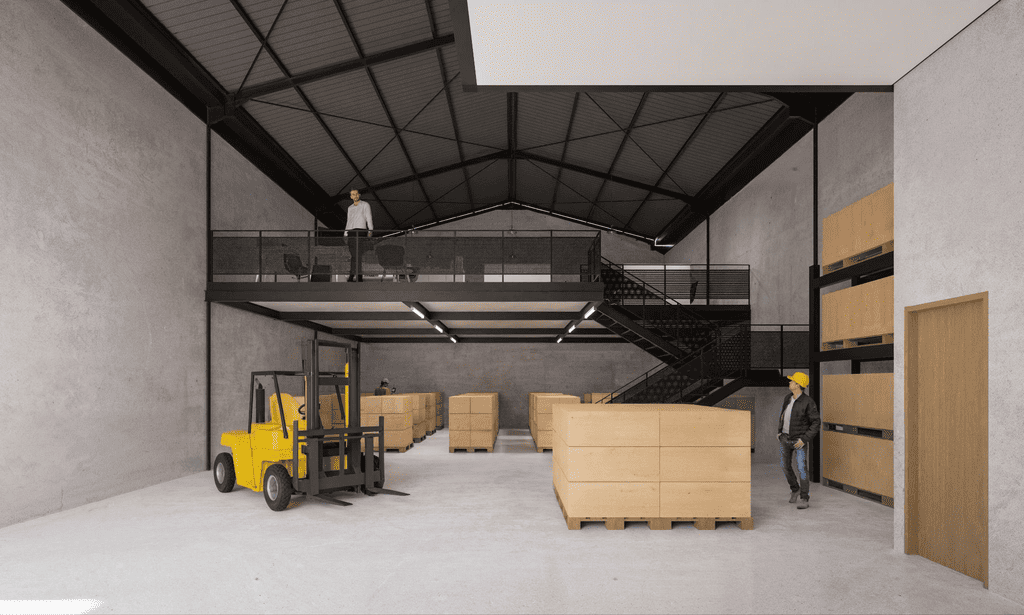
This rules out using just any available room. The space needs to be one where lighting can be fully controlled. Storage rooms with high ceilings often end up being a better fit than office spaces with large windows.
Network Infrastructure
Multi-user VR training is bandwidth-intensive. Each headset sends position data, receives rendered video, and exchanges scenario state with the server. Wireless connections can work. But reliability matters a lot.
For free-roaming VR with multiple users, dedicated wireless infrastructure is usually required. Standard office WiFi rarely cuts it. Most installations end up with enterprise-grade access points specifically positioned for the training area, isolated from other network traffic.
The latency budget is tight. Position updates need to happen under 20 milliseconds for tracking to feel right. Higher latency triggers motion sickness in trainees and breaks the simulation feel. The network has to be designed for this, not patched together from existing infrastructure.
Some systems support wired headset connections, which solves the latency problem but introduces tether management headaches. Tethers limit mobility and create entanglement risks during free-roam exercises.
Power and Cooling
VR systems pull significant power. Each rendering computer, tracking server, and charging station adds load. A typical mid-sized installation draws 10 to 30 kilowatts during operation, sometimes more.
Most existing facilities need power upgrades to support this reliably. Dedicated circuits for the training area. Surge protection. Possibly backup power for the server room to prevent data loss during outages.
Cooling matters because hardware generates heat. Rendering computers, tracking servers, and multiple users in close quarters — all add thermal load. In hot climates, including nearly all of Indonesia, HVAC capacity often needs upgrading to accommodate full training sessions without overheating equipment or making the space uncomfortable for users.
Battery management has its own considerations. Wireless headsets, controllers, and tracker units all need regular charging. A dedicated charging station with sufficient outlets and ventilation is part of any serious installation.
Tracking System Placement
How tracking cameras or beacons get installed depends on the specific system. Two main approaches dominate.
Outside-in tracking uses fixed cameras or base stations placed around the perimeter of the training area. These need solid mounting, reliable power, and clear sight lines to the action. Camera positioning is critical for tracking accuracy. Most installations need a calibration process that takes hours, repeated periodically as the equipment settles.
Inside-out tracking puts the tracking sensors on the headsets themselves. Less infrastructure required in the space, but tracking can drift in featureless environments. The training space may need visual reference points — textured walls, patterns — to give the headset cameras something to track against.
Either way, the tracking infrastructure has to coexist with everything else in the space. Tripod-mounted cameras get knocked over by moving trainees. Wall-mounted cameras need cable runs that don’t interfere with the training area. Calibration patterns on floors and walls have to survive regular use.
Equipment Storage and Maintenance
Headsets, controllers, weapon props, and other gear need somewhere to go between sessions. Storage matters more than it sounds.
Headsets are fragile. Lenses scratch easily and pick up oils from skin contact. Storage should keep them in protective cases or padded racks, not just piled on a shelf. Cleaning supplies for lenses and face padding need to be readily available since multiple users share headsets across sessions.
Controllers and tracker units have charging requirements. Storage cabinets often double as charging stations, with each unit having a designated slot and connection.
Weapon props — modified airsoft or dedicated VR weapon controllers — need secure storage. Although they aren’t capable of firing live ammunition, their appearance and feel are close enough to real weapons that they require armory-grade security in many jurisdictions. Local regulations on storage of weapon replicas need to be checked early in facility planning.
Cables, batteries, replacement parts, and consumables all need organized storage to avoid the operational mess that develops when these things end up scattered across the facility.
Operator and Control Room
The operator workstation is where instructors monitor and adjust scenarios during training. Most professional installations have a dedicated control area — a separate room or a clearly delineated zone within the training space.
The control area typically needs multiple monitors. One for each first-person view being monitored. One for overhead tactical view. One for the scenario control dashboard. Sometimes additional screens for sensor data, biometrics, or scenario authoring.
The operator needs a clear view of the training area through windows or video feeds, plus audio communication with trainees. Acoustics matter. Operators issuing commands or asking questions during scenarios cannot have their voices unintentionally bleeding into the training audio.
Recording equipment for after-action review usually lives in or near the control area. Storage for session recordings needs sufficient capacity for high-resolution multi-camera footage, which piles up fast.
Safety Infrastructure
VR training creates safety considerations that conventional training does not. Trainees wearing headsets cannot see their physical surroundings. Multiple users moving in the same physical space create collision risks. Replica weapons handled in active scenarios can cause injuries if used improperly.
Most installations include several safety features. Wall padding in areas where trainees might run into structures. Clear floor demarcation through textured surfaces or visible boundaries that appear through the headset. Collision warning systems that alert trainees when they’re approaching other users or physical boundaries. Emergency stop procedures that pause scenarios immediately when needed.
A medical kit and a trained first-aid responder for each session is standard practice. Trainees sometimes fall, twist ankles, or collide with each other or equipment. Injury rates are much lower than live-fire training, but not zero.
Multi-Room Configurations
Larger installations often spread across multiple rooms with specific functions.
Briefing room for pre-exercise instruction and scenario explanation. Usually conference-style setup with a presentation screen.
Active training area for the actual VR sessions. This is where free-roam space and tracking infrastructure live.
Control room for operator monitoring and scenario management. Adjacent to or with line of sight to the training area.
After-action review room for post-session debriefing. Usually equipped with replay capability, large displays, and seating for the unit being trained. Can share a room with briefing if space is limited.
Equipment storage and maintenance for headsets, controllers, weapons, and spare parts.
The flow between these spaces matters for operational efficiency. Trainees move from briefing to training to AAR, and the layout should support this without bottlenecks.
Considerations for the Southeast Asian Context
Several factors specific to Indonesia and the Southeast Asian region affect facility planning.
Climate is the first factor. Humidity and heat in the region stress electronic equipment. AC capacity has to be designed conservatively. Dehumidification matters for sensitive optics and electronics. Hardware lifecycle may end up shorter than in temperate climates.
Power reliability varies by location. Facilities in major urban centers usually have reliable grid power. Training installations at regional bases may face more frequent outages. UPS systems and backup generators become more important in those contexts.
Internet connectivity for software updates, cloud-based scenario sharing, and remote support also varies by location. Facilities in well-connected cities can rely on standard internet provision. Remote installations may need satellite or alternative connectivity, with implications for what features can be effectively used.
Geographic distribution across the archipelago means standardized facility designs may not work everywhere. Modular or scalable installations that can adapt to local conditions tend to age better than one-size-fits-all designs.
Closing Thoughts
VR combat training facility setup is more involved than vendor marketing usually suggests. Headsets and software get the attention. But space planning, network infrastructure, power, cooling, storage, and safety — all of it has to come together for the system to actually work in practice.
Units that take this seriously during planning usually end up with facilities that operate smoothly and last. Units that underestimate the infrastructure side often find themselves doing expensive retrofits after the equipment arrives.
The good news is that none of this is mysterious. It just needs deliberate attention early in the procurement process, before the contract gets signed and the system shows up at the door. For Military and Law Enforcement institutions looking for facility setup guidance tailored to Southeast Asian operational contexts — covering climate considerations, weapon replica storage regulations, and integration with locally-built scenario content — regional partners like komina.co can be a reasonable starting point, since they’ve built experience in the same operational environments the facility will actually serve.